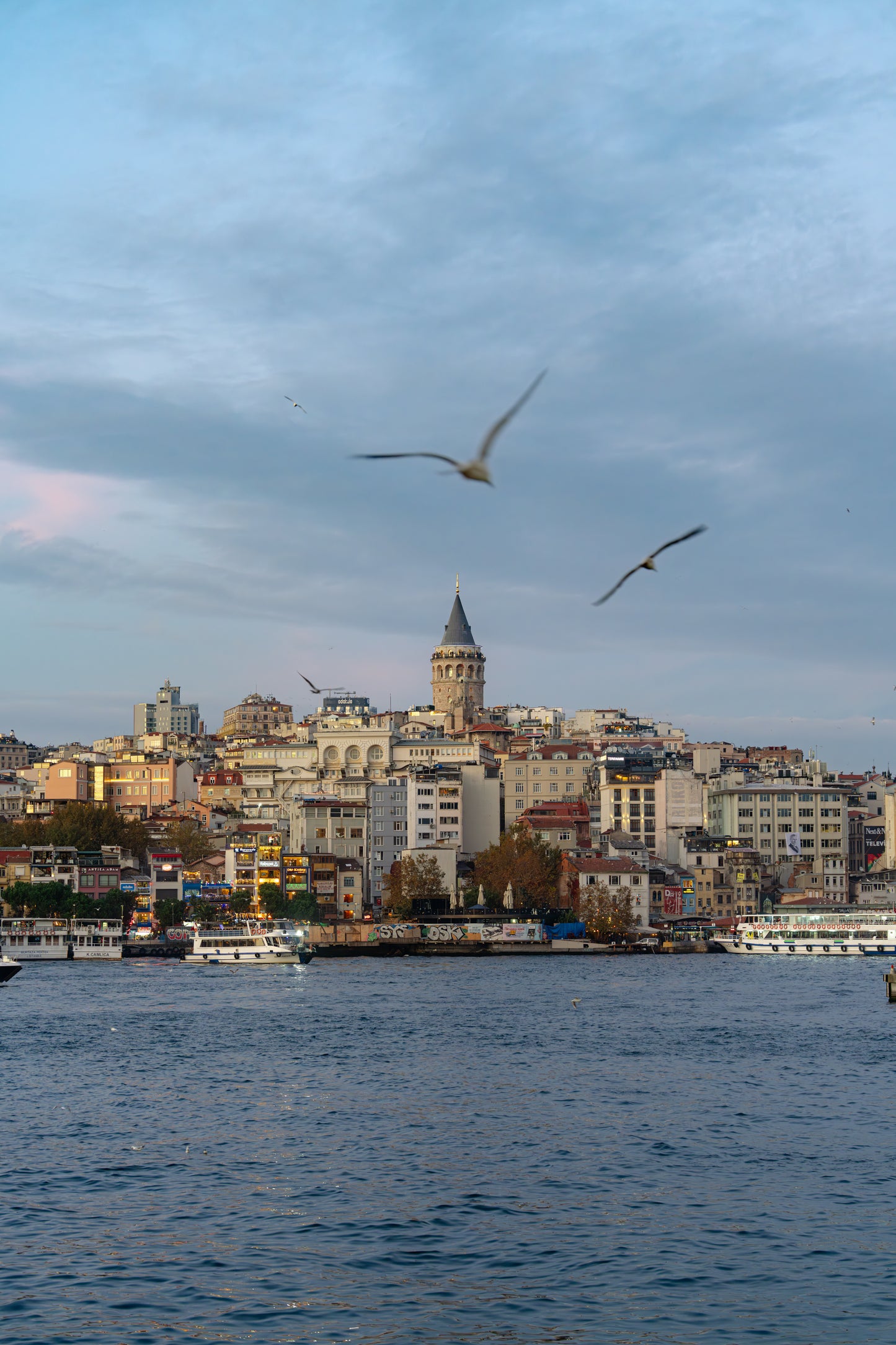


6151 | Lightroom presets "Ramune Soda" and "Lunch Time"
6151 | Lightroom presets "Ramune Soda" and "Lunch Time"
Lightroomプリセット
Couldn't load pickup availability
購入時の注意事項と購入後の設定。必ずご確認下さい。
購入時の注意事項と購入後の設定。必ずご確認下さい。
*Lightroom presets cannot be canceled, returned, or exchanged.
* The download period is 90 days from the date of purchase , and the number of downloads is limited to 10 times.
*Please be sure to check the important notes listed here before placing your order.
6151 Lightroom Presets (2 types): "Ramune Soda" and "Lunch Time"
Photographer 6151, who continues to convey the "joy of photography" by shooting a wide range of subjects from landscapes and portraits to still lifes both domestically and internationally, presents two Lightroom presets. "Ramune Soda" gives blue skies and seas the coveted "Goichi Blue" color, while "Lunch Time" naturally enhances the colors of food. These presets lay the foundation for the impression of your photos, from the color of the sky to the colors of your food.
*Each preset contains files in two formats: "dng" and "xmp".
|
" All of these presets are adjustment methods that 6151 usually uses in his photo development. Of course, they vary depending on the situation, but this time I've included the sky-blue base color that I always value, and the parameters that I always adjust when taking food photos. It may seem inconspicuous, but it's a fundamental parameter, and the interesting thing about presets is that this subtlety can surprisingly drastically change the overall impression. After applying a preset, try adjusting the white balance and exposure to get closer to your desired image. " ── 6151 |
Preset ① "Ramune Soda"
" This preset transforms the blue of a sunny day's sky or sea into a retro, soda bottle-like hue. Bright blues are softened into a gentle azure. Exposure and white balance remain the same as when the photo was taken, but can be adjusted as needed. Only cyan tones are adjusted to avoid affecting people. Use it for tropical landscapes, the atmosphere of summer vacations in the Japanese countryside, and any blue-toned photos, even on days other than sunny ones .
-- 6151
Preset ② "Lunch Time"
" A simple preset perfect for lunchtime use. It vividly brings out the vibrant colors of fruits and vegetables. For example, strawberries and tomatoes will appear ripe and vibrant, while green and yellow vegetables like lettuce and cucumbers will have a fresh look. If the result is too dark, adjust the exposure to your liking.
-- 6151
Author Introduction

6151
This photographer transitioned to freelance work after being inspired by Instagram. They handle a wide range of subjects, from landscapes to product photography, and collaborate with companies both domestically and internationally on photo shoots. In addition to writing for magazines and websites, they also conduct photo workshops nationwide, actively working to spread the joy of photography.
Instagram @6151 Threads @ 6151 X @ besidecoffee
Read article 6151 on GENIC WEB
Preparation for placing your order and settings after purchase
Before placing your order, please check your email settings to ensure you can receive emails from shop@genic-web.com .
Once you order Lightroom presets and your payment is complete, you will automatically receive the following two emails.
- Email ①: [GENIC SHOP] Order Confirmation
- Email ②: Order Number: 1234 [GENIC SHOP] Lightroom Preset Download URL
Email ② contains a link to the Lightroom preset download page. Please download and use the preset you purchased from the download page.
An email will be automatically sent after your purchase (payment) is complete. You can start using the presets after receiving the email.