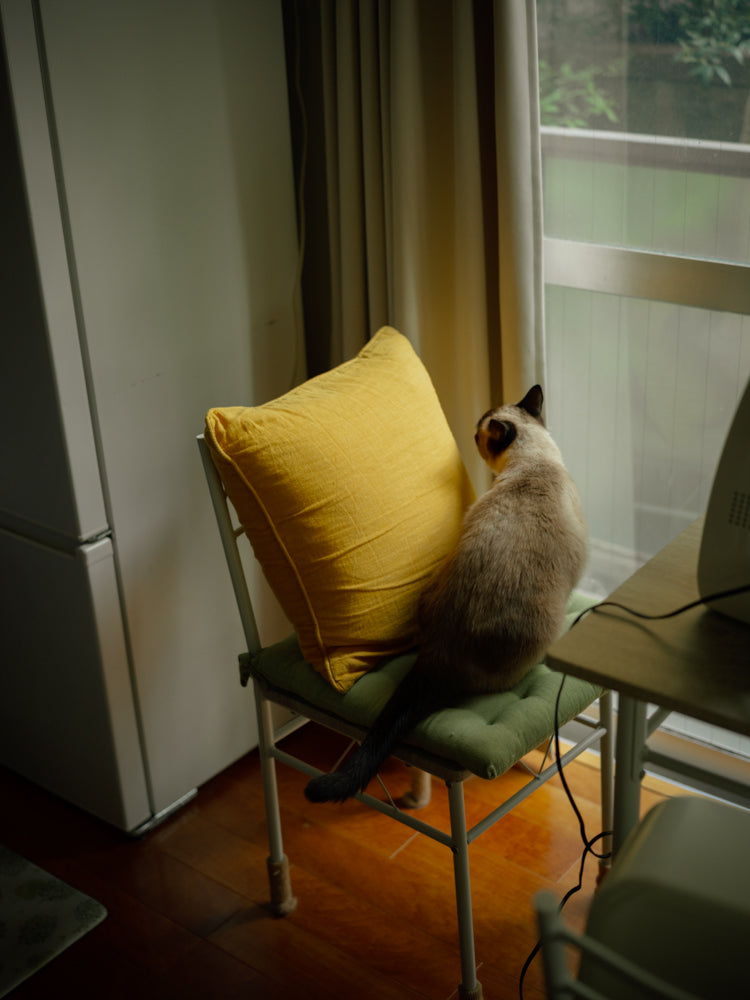


Kohara Takeru | Latest Lightroom Presets Sono Collection II "sono8" and "sono9"
Kohara Takeru | Latest Lightroom Presets Sono Collection II "sono8" and "sono9"
Lightroomプリセット
Couldn't load pickup availability
購入時の注意事項と購入後の設定。必ずご確認下さい。
購入時の注意事項と購入後の設定。必ずご確認下さい。
*Lightroom presets cannot be canceled, returned, or exchanged.
* The download period is 90 days from the date of purchase , and the number of downloads is limited to 10 times.
*Please be sure to check the important notes listed here before placing your order.
Kohara Takeru Lightroom Presets (2 types)
Sono Collection II “sono8” “sono9”
Two Lightroom presets by photographer Takeru Kohara, known for his meticulous capture of people's presence and atmosphere. "sono8" reduces yellow tones, resulting in a clean and polished look even indoors or on cloudy days, while "sono9" creates a soft atmosphere with creamy highlights. Both are designed with natural light photography in mind, but produce different results.
*Each preset contains files in two formats: "dng" and "xmp".
|
"Thank you for your interest in our presets. Both sono8 and sono9 are presets designed with natural light in mind, but they have completely different approaches. sono8 maintains skin tone while suppressing yellowness and adds a touch of blue to the highlights, resulting in a clean look even indoors or on cloudy days." Also, adjustments have been made so that the green of the plants and trees is not too strong. I did . The sono9 is suitable for when you want to create a warm, soft atmosphere. With its creamy highlights and low contrast, it gives a calm impression even in scenes with strong differences in light and dark. Please try using it when photographing everyday objects such as small items on a table. -- Takeru Kohara |
Preset ① "sono8"
"Sono8 is a preset that maintains skin tone while reducing yellowness and adding a touch of blue to the highlights. It's adjusted to avoid leaning too much towards red, resulting in a natural skin tone even with cooler tones. Shadows are not artificially brightened, but lightly lifted just enough so that the blacks don't get crushed. Additionally, by increasing natural saturation and reducing the saturation of greens with the color mixer, the colors of plants and trees don't become too overpowering. This preset is recommended for cloudy days or indoor shooting."
-- Takeru Kohara
Preset ② "sono9"
"Sono9, in contrast to Sono8, is a preset that leans towards warmer tones. By retaining a light cream color in the highlights and significantly reducing the contrast, the overall impression is softer. Because of the low contrast, it is easy to use even in scenes with strong differences in light and dark. This preset is recommended when you want to photograph small everyday objects such as books or glasses on a table in a calm atmosphere."
-- Takeru Kohara
Author Introduction

Photographer Takeru Kohara was born in 1984 in Nagasaki Prefecture. In addition to photographing the "Torarechi Series," a digital photo collection of sexy actresses, his photographs have also been used on the covers of books such as Fumio Yamamoto's "Revolving While Rotating" and Rio Shimamoto's "What's the Name of Your Lover?" (paperback edition). In 2023, he held a photo exhibition "Satsuen" at the Leica Gallery Tokyo and Kyoto. In 2024, he published his third self-published photo collection, "Before Hatching."
Instagram @takerukohara_sono1 Threads @takerukohara_sono1 X @takerukohara
Read Takeru Kohara's articles on GENIC WEB
Preparation for placing your order and settings after purchase
Before placing your order, please check your email settings to ensure you can receive emails from shop@genic-web.com .
Once you order Lightroom presets and your payment is complete, you will automatically receive the following two emails.
- Email ①: [GENIC SHOP] Order Confirmation
- Email ②: Order Number: 1234 [GENIC SHOP] Lightroom Preset Download URL
Email ② contains a link to the Lightroom preset download page. Please download and use the preset you purchased from the download page.
An email will be automatically sent after your purchase (payment) is complete. You can start using the presets after receiving the email.