

yukkey|Lightroom Presets "-shinryoku-" and "-seijaku-"
yukkey|Lightroom Presets "-shinryoku-" and "-seijaku-"
Lightroomプリセット
Couldn't load pickup availability
購入時の注意事項と購入後の設定。必ずご確認下さい。
購入時の注意事項と購入後の設定。必ずご確認下さい。
*Lightroom presets cannot be canceled, returned, or exchanged.
*The download period is 90 days from the date of purchase, and the number of downloads is limited to 10.
*Please be sure to check the precautions listed here before placing your order.
yukkey Lightroom Presets (2 types)
" -shinryoku- Fresh Green" and " -seijaku- Serenity"
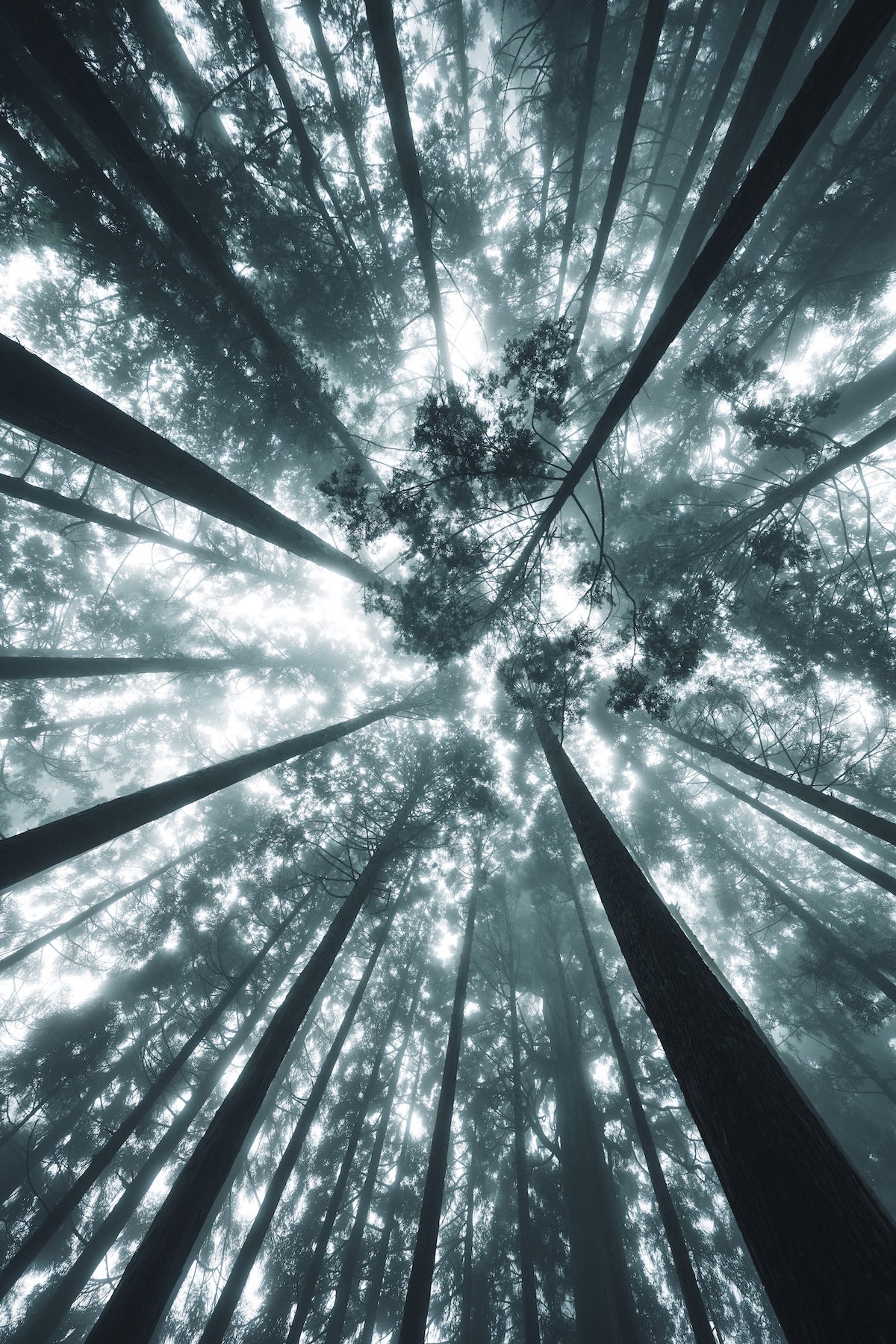
These are two Lightroom presets by photographer yukkey, who captures Japanese landscapes and culture with the theme of the changing seasons. "-shinryoku- Fresh Green" enhances the beauty of green in natural light, creating a fresh and clear finish. "-seijaku- Serenity" is suitable for forests enveloped in mist or dimly lit scenes, suppressing contrast and saturation to bring out a sense of stillness and lingering atmosphere. Recommended for those who want to delicately portray the expressions of early summer.
*Each preset includes two file formats: "dng" and "xmp".
|
"Hello everyone. My name is yukkey. I primarily shoot landscape photography. This is my first time selling presets. ── yukkey |
Preset ① "-shinryoku- Fresh Green"
*Examples show adjustments including basic corrections such as WB and highlights after applying the preset.
"-shinryoku- Fresh Green is recommended for use in scenes with natural light, such as sunlight filtering through trees. In environments with strong light, contrast and saturation tend to become excessive, but this preset maintains the vibrancy of green while suppressing color dullness and unnatural intensity, resulting in a fresh and clear finish. It is the ideal preset when you want to express the beauty of fresh green with "just the right beauty" rather than excessive embellishment. After applying, adjusting the exposure and white balance, and adding mask processing to landscape photos, will result in an even more refined finish."
── yukkey
Preset ② "-seijaku- Serenity"
*Examples show adjustments including basic corrections such as WB and highlights after applying the preset
"-seijaku- Serenity is recommended for somewhat niche situations, such as forests enveloped in mist or dimly lit scenes with low light. While it's a distinctive preset, it produces highly effective results when it fits the scene. By suppressing contrast and saturation while retaining only essential information, it brings out the elegant stillness. It's a favorite preset for when I want to value beauty through subtraction rather than flashiness, and to give photos a lingering quality."
── yukkey
Author Introduction

yukkey
Photographer based in Shiga Prefecture, whose work focuses on the "changing seasons" and expresses Japanese landscapes and culture through both photography and video. Responsible for example shots of Nikon's genuine lens "NIKKOR Z 24-70 f/2.8 S II". Selected for Tokyo Camera Club Top 10 2025. Adobe Lightroom Ambassador.
Instagram @yukkey.inc Threads @yukkey.inc X @yukkey_inc
Preparation for Ordering and Post-Purchase Setup
Before placing an order, please ensure that your email settings allow you to receive emails from shop@genic-web.com.
After ordering a Lightroom preset and completing payment, the following two emails will be sent automatically:
- Email ①: [GENIC SHOP] Order Confirmation
- Email ②: Order Number: 1234 [GENIC SHOP] Lightroom Preset Download URL
Email ② contains a link to the Lightroom preset download page. Please download and use the purchased preset from the download page.
Emails are sent automatically after your purchase is completed (after payment is processed). You can start using the preset as soon as you receive the email.